
What is Multi-Org Access?
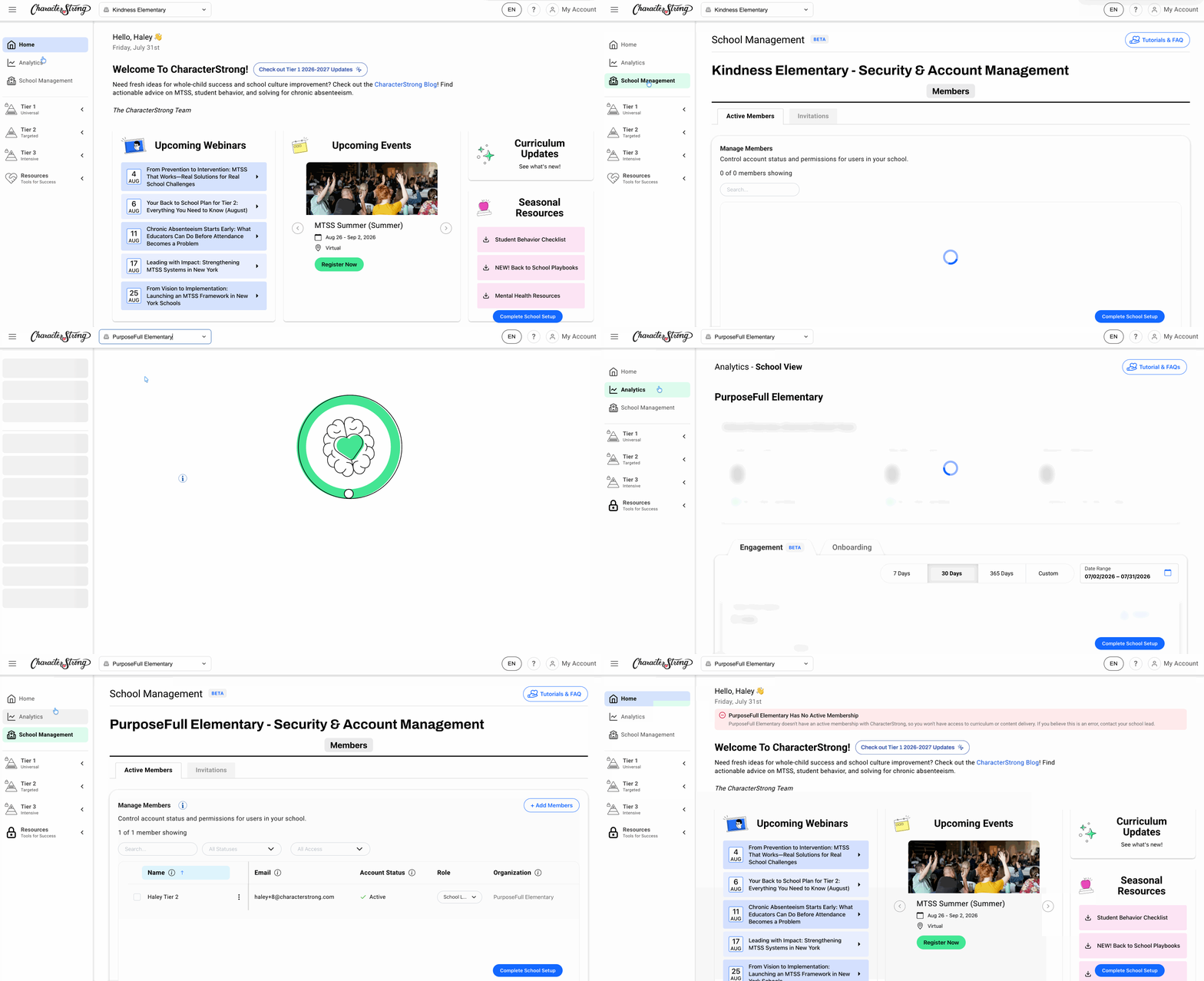
If you're a school lead connected to more than one school, you'll have multi-org access. This gives you a toggle at the top of your screen, next to the CharacterStrong logo, that lets you switch between the schools you're connected to.
Switching Between Schools
Use the toggle next to the CharacterStrong logo at the top of your screen to switch between your connected schools. This toggle controls what you see throughout your account, including lessons, analytics, and school management.
- Viewing Lessons – Use the toggle to switch to a specific school and facilitate/view that school's lessons.
- Viewing Analytics – Analytics are school-specific; toggle to a school to see its Analytics tab data only.
- School Management – Access the School Management tab, including a Members page showing the Members table for whichever school is currently selected in the toggle.
To learn how District Lead's can enroll you in multiple organizations, click here!
Need Help?
If you need any additional account support:
- Email our Support Team at support@characterstrong.com
- Connect with your Customer Success Manager for personalized guidance
Don't know who your Custom Success Manager is? Reach out to support@characterstrong.com