What You Can Still Access
Closed supports are read-only. You will still have full access to view all data captured during that support, including:
- The full support plan
- Pathway chart
- Progress monitoring data
- Intervention fidelity records
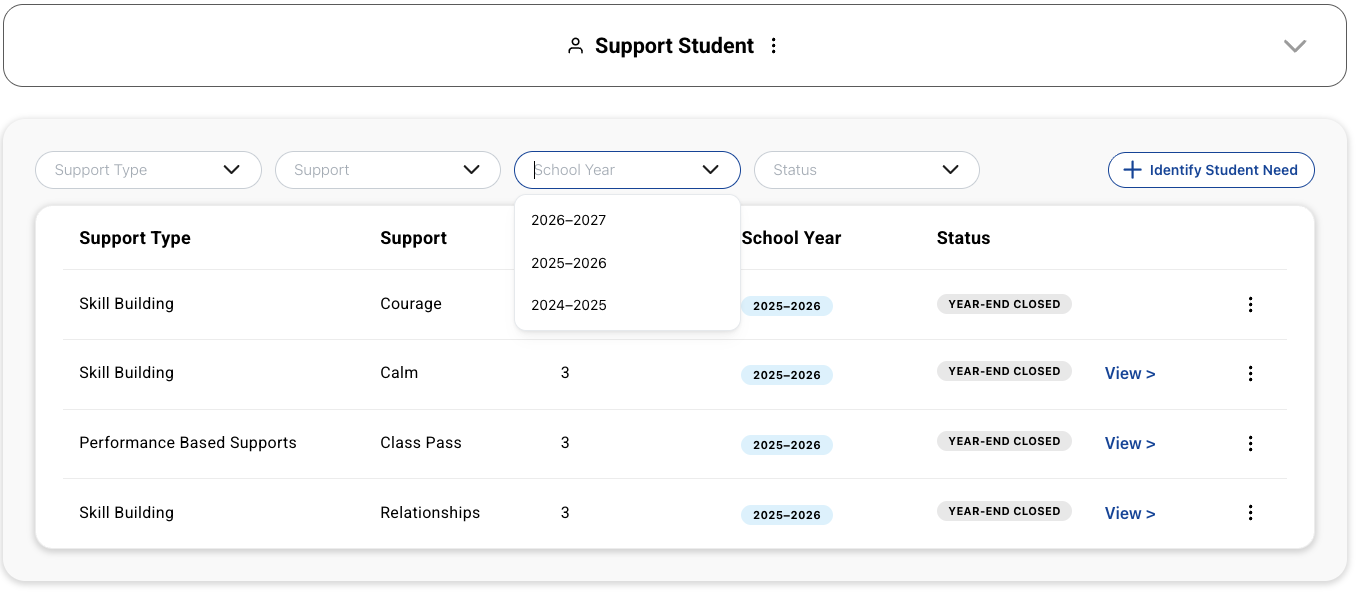
To access prior-year supports, open the student's dashboard and use the school year selector to switch to the previous school year. All data is retained — nothing is deleted at rollover.
What You Cannot Do with a Closed Support
Once a support is Year-End Closed, you cannot:
- Reopen or edit the support
- Add new progress monitoring entries
- Continue facilitation against that pathway
This applies to both Tier 2 and Tier 3 supports.
Need Help?
If you need any additional account support:
- Email our Support Team at support@characterstrong.com
- Connect with your Customer Success Manager for personalized guidance
Don't know who your Custom Success Manager is? Reach out to support@characterstrong.com