1. Navigate to the top right corner of the page and click "My Account"

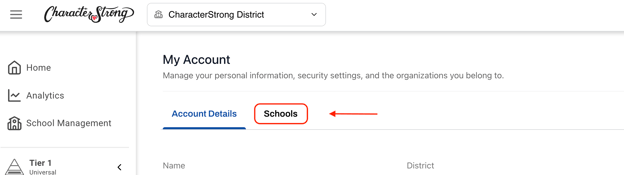
2. Click on the "Schools" tab
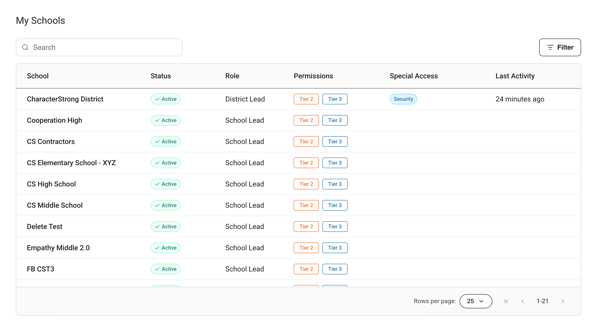
3. From here, you can view:
- School Names
- Status (Active or Inactive)
- Roles
- Permissions
- Special Access
- Last Activity
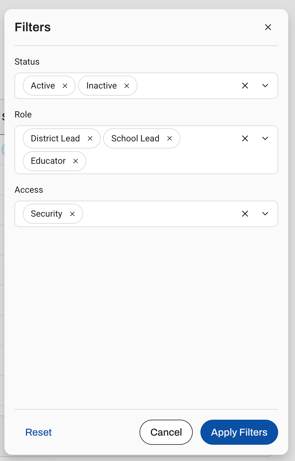
4. In the right corner of this table, you can select "Filter" to add the filters you'd like to see, such as:
- Status
- Active
- Inactive
- Role
- District Lead
- School Lead
- Educator
- Access
- Security
Coming Soon: District Leads will have the ability to edit enrollments from this page!