
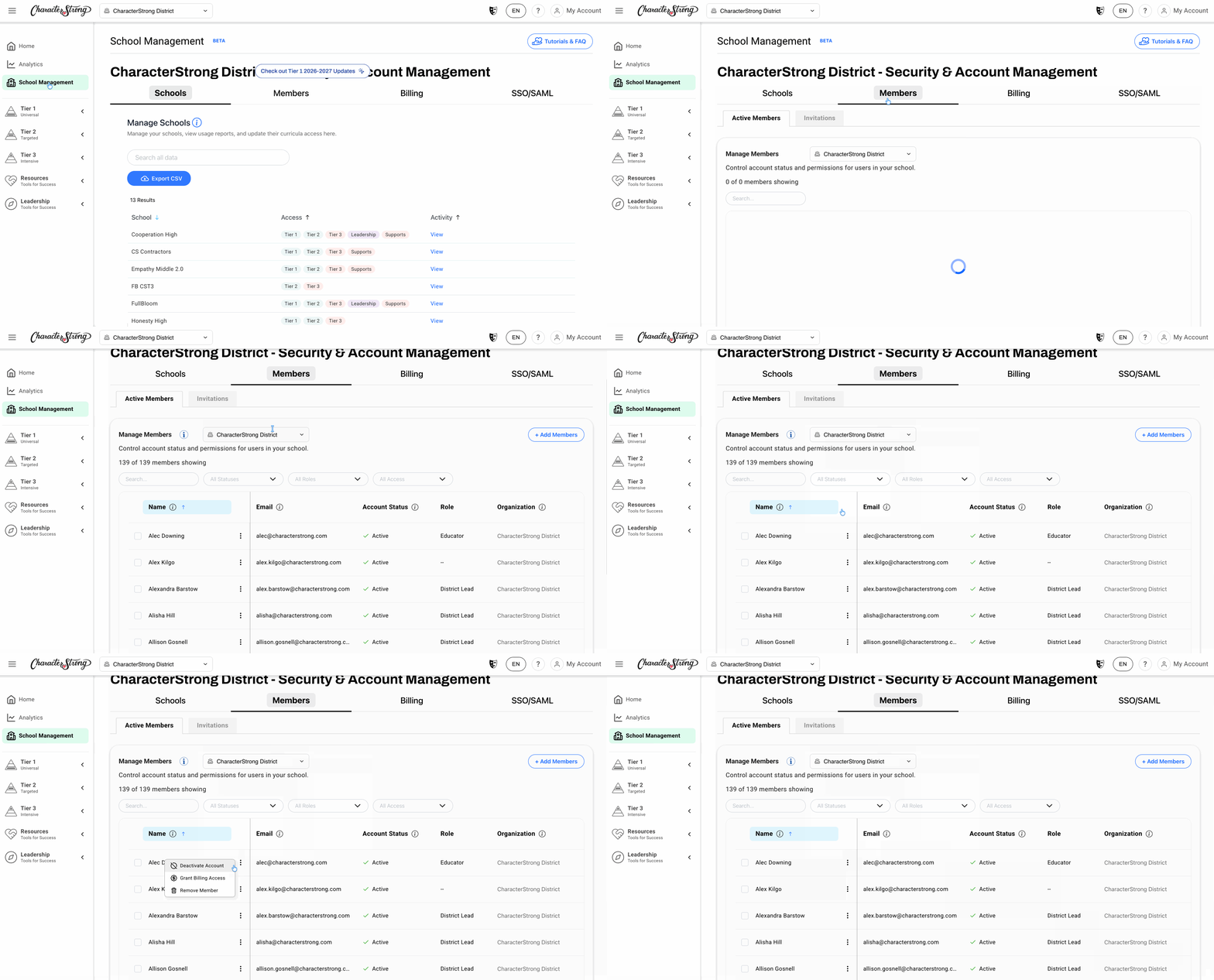
- From your dashboard, select School Management.
- Select the Members tab
a. If you are a District Lead, please select the school that the member is associated with - Find the member you want to activate or deactivate, and click the three dots (⋮) next to their name.
- Select Deactivate Account to deactivate the member, or Activate Account to reactivate them.
Need Help?
If you need any additional account support:
- Email our Support Team at support@characterstrong.com
- Connect with your Customer Success Manager for personalized guidance
Don't know who your Custom Success Manager is? Reach out to support@characterstrong.com