If you want to continue working with a student on a similar need in the new school year, you will need to create a new support. Here's how:
- Navigate to the student's dashboard.
- Make sure the current school year is selected in the school year selector.
- Click Identify Student Need to begin the process.
- Fill out the student need information.
- Select the pathway type you want to focus on (e.g., Environmental or Skill).
- Click Next and confirm to create the new support.
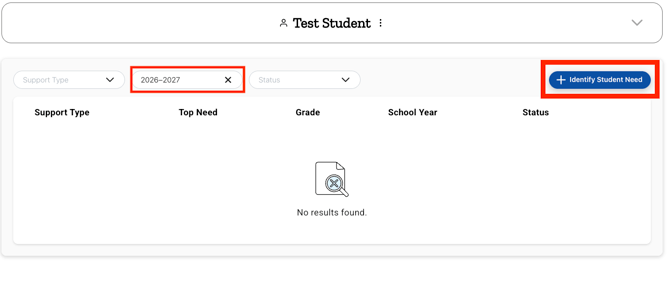
The new support will appear in the student's dashboard under the current school year, marked as In Progress.
Need Help?
If you need any additional account support:
- Email our Support Team at support@characterstrong.com
- Connect with your Customer Success Manager for personalized guidance
Don't know who your Custom Success Manager is? Reach out to support@characterstrong.com