
Step 1: Access Attendance Supports
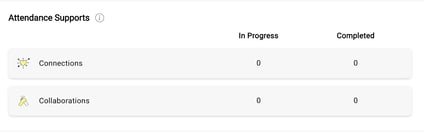
- From the Support Management section, navigate to Attendance Supports.
- Select the specific performance support you want to assign a student or staff member to.
Step 2: Assign a Student
- Click “+ Assign Student” (or staff).
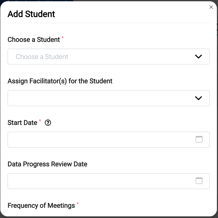
- Complete the required fields:
- Select Student/Staff Member
- Assign a Facilitator
- Start Date
- Progress Review Date (Optional)
- Meeting Frequency
- Select Student/Staff Member
Need Help?
If you need any additional account support:
- Email our Support Team at support@characterstrong.com
- Connect with your Customer Success Manager for personalized guidance
Don't know who your Custom Success Manager is? Reach out to support@characterstrong.com