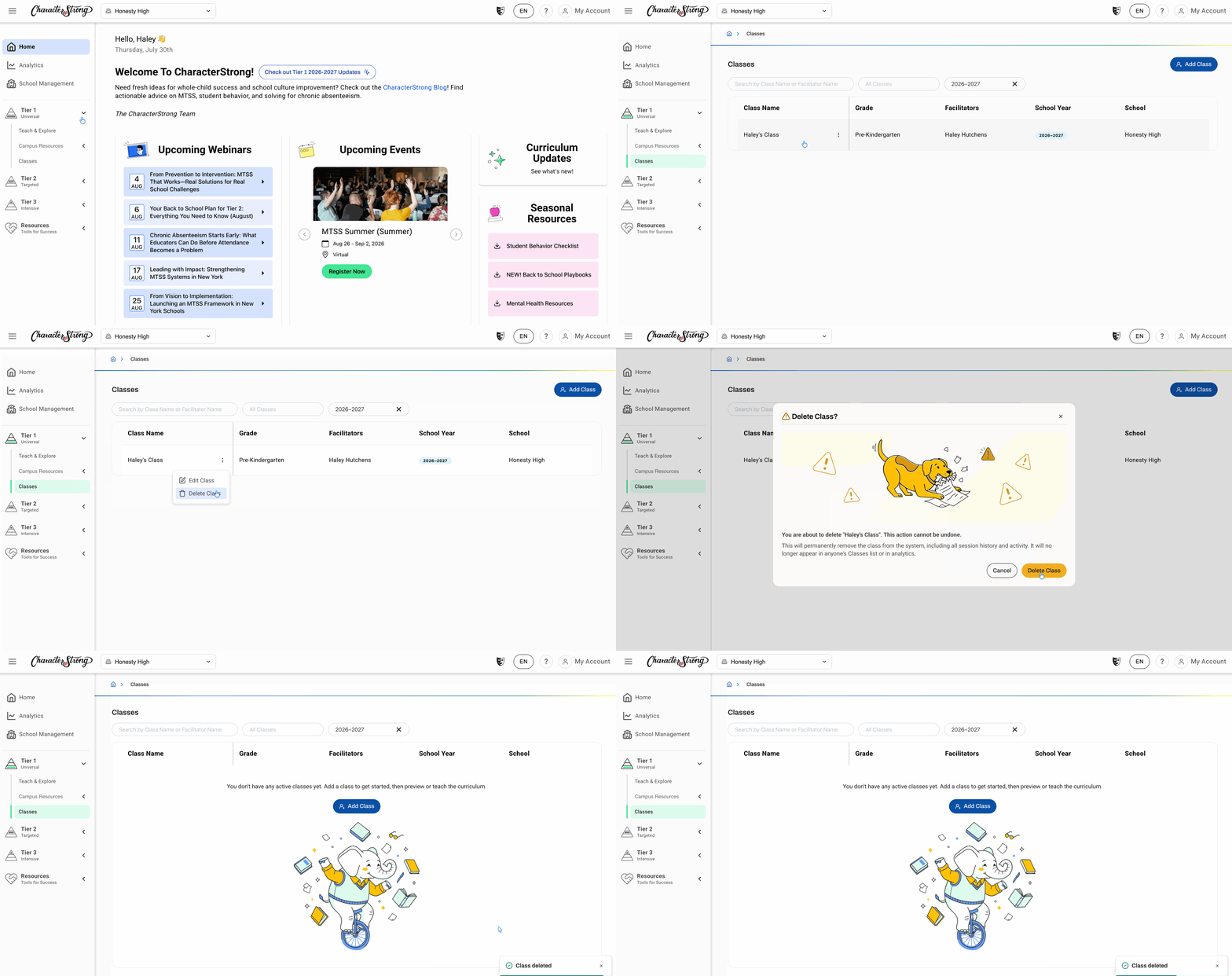
1. Navigate to the Tier 1 menu and select 'Classes'
2. Select the class you wish to delete and click the 3 dots next to the class name
3. Click 'Delete Class'
4. Click 'Delete Class' to confirm
Need Help?
If you need any additional account support:
- Email our Support Team at support@characterstrong.com
- Connect with your Customer Success Manager for personalized guidance
Don't know who your Custom Success Manager is? Reach out to support@characterstrong.com