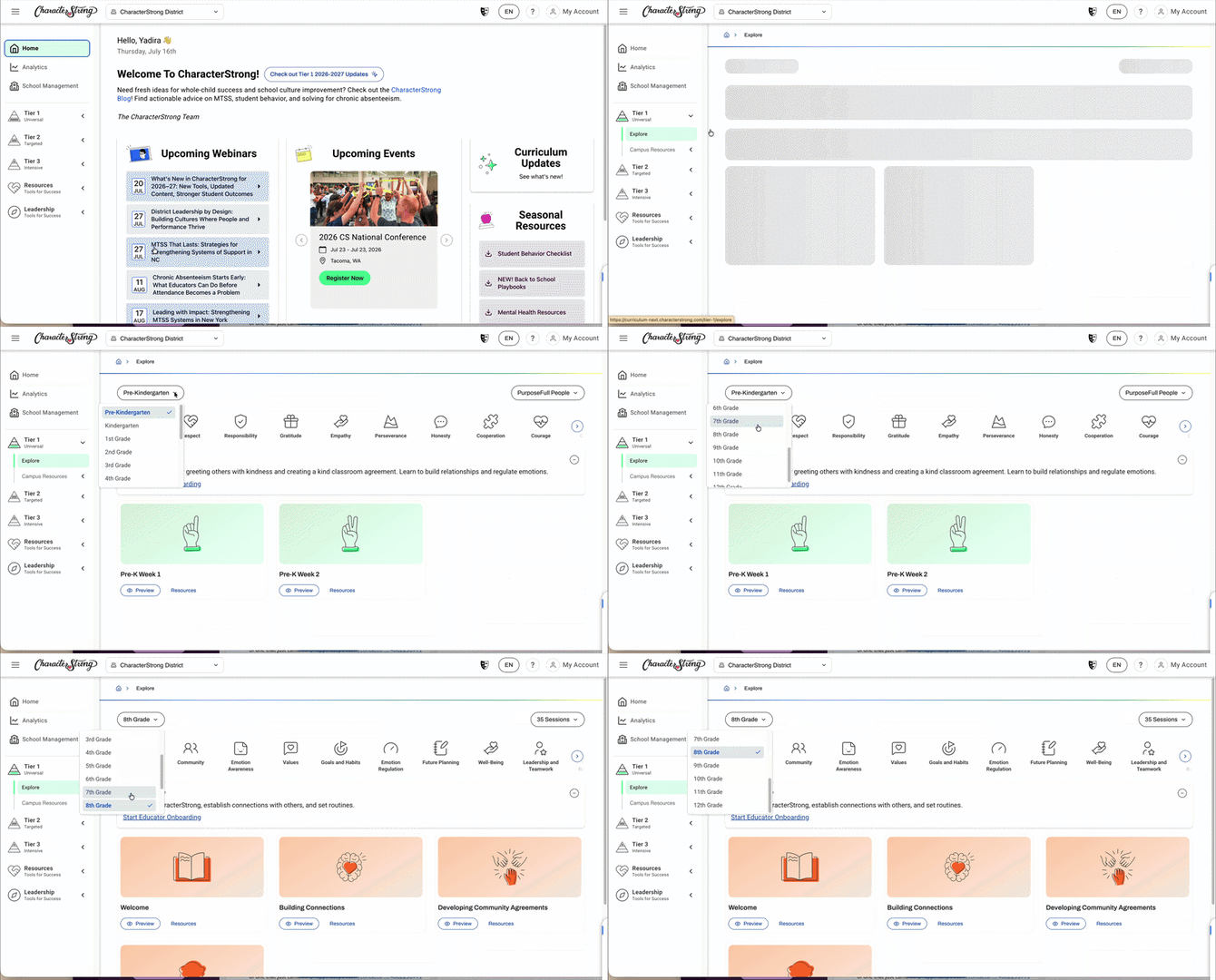
This article walks through how to navigate to a different curriculum grade level within Tier 1.
Steps:
- In the left-hand sidebar, navigate to Tier 1 and click to open it.
- Click on Explore.
- On the left-hand side of the Explore page, you'll see a drop-down menu listing all the grade levels available. Select the grade level you'd like to start teaching lessons from.
Need Help?
If you need any additional account support:
- Email our Support Team at support@characterstrong.com
- Connect with your Customer Success Manager for personalized guidance
Don't know who your Custom Success Manager is? Reach out to support@characterstrong.com