If you log into your individual account and see this error message:

This means that you are logged into an account that is either not associated with an organization or you are associated with an organization that does not have any active curriculum memberships.
How To Get Full Curriculum Access:
Step 1: Ask your School Lead to invite your email address by clicking the green "+ add members" button and selecting the input email option
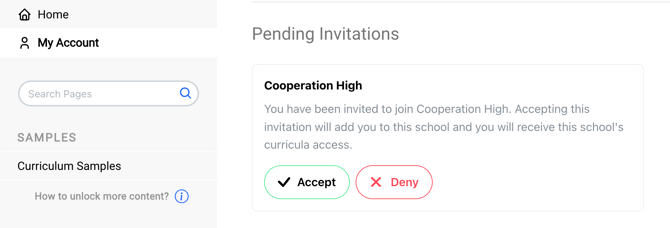
Step 2: Log into your account and navigate to the "My Account" tab
Step 3: Scroll down to see the pending invitation and click "Accept"
Step 4: Refresh your page
If you have completed steps 1-4 and are still receiving the "No Active Enrollments" error message, please reach out to us at support@characterstrong.com. We're here to assist!
When contacting us, please include the following details:
- The email address associated with your account
- Your school and district name
- Information on how you attempted to sign in, including the invitation link if applicable
Providing this information will help us resolve the issue and ensure you have full access to your account.
Need Help?
If you need any additional account support:
- Email our Support Team at support@characterstrong.com
- Connect with your Customer Success Manager for personalized guidance
Note: Don't know who your Customer Success Manager is? Reach out to support@characterstrong.com