1. Click this link to reach our login screen.
You should see the following prompt: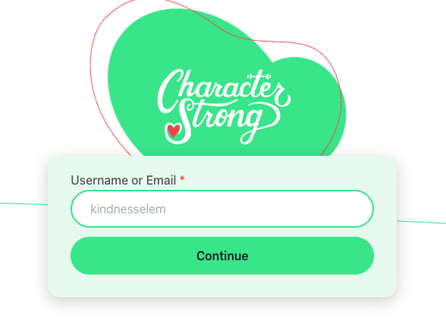
2. Enter your Username (usually your full school email address) and press 'Continue'.
You should see the following prompt: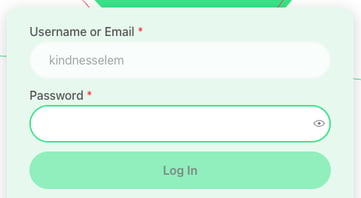
3. Enter your Password and press 'Log In'.
Forgot your password? Click here to reset!
Need Help?
If you need any additional account support:
- Email our Support Team at support@characterstrong.com
- Connect with your Customer Success Manager for personalized guidance
Note: Don't know who your Customer Success Manager is? Reach out to support@characterstrong.com