
Using Explore as a District Lead
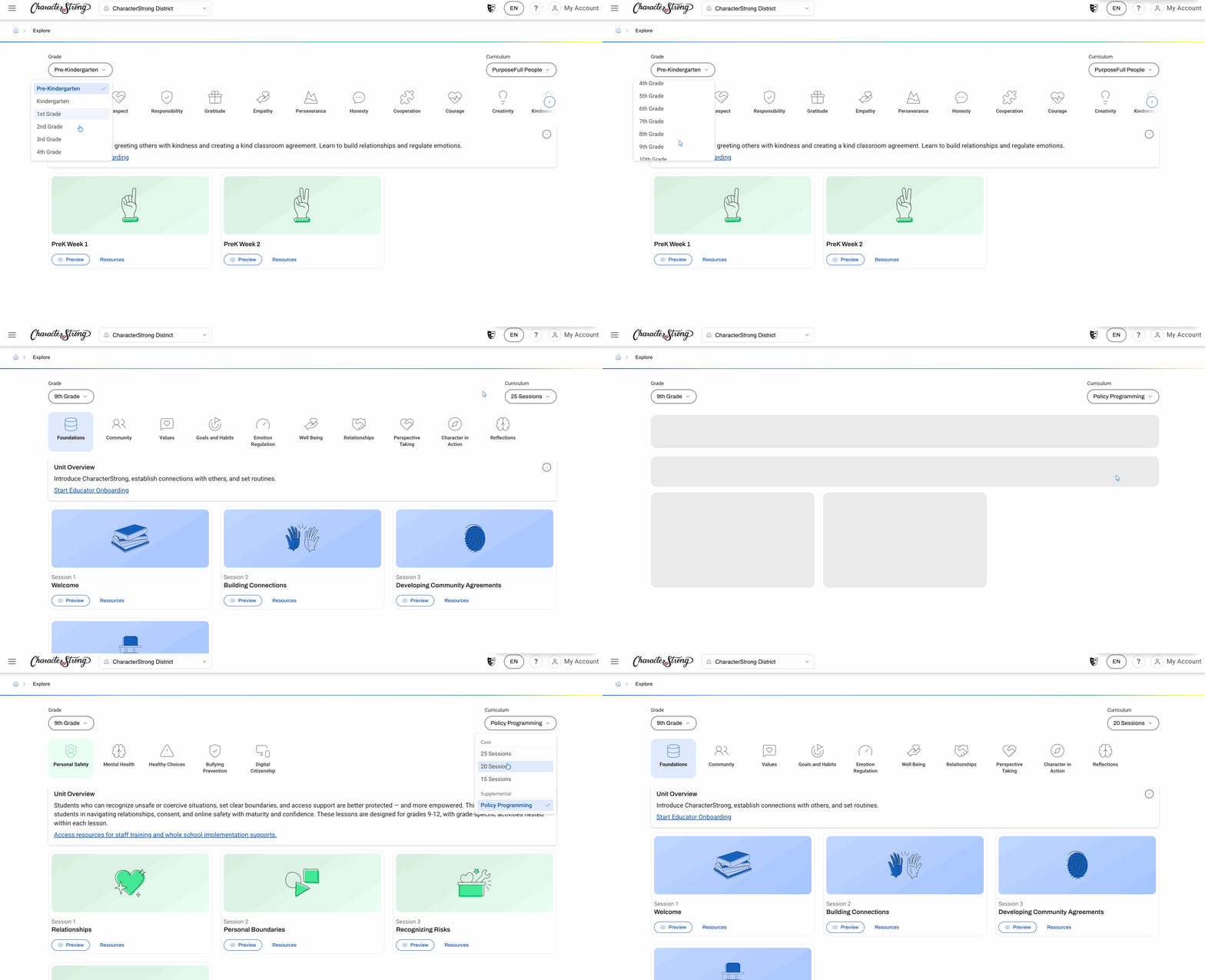
Because you're a district lead, you can't create a class at the district level, so you'll only see Explore.
Explore contains the same content and materials as Teach. The only difference is that you will not be able to mark a lesson as delivered, since there's no class associated with a school.
To view lessons:
- Go to Tier 1 → Explore.
- Use the toggle on the left-hand side to change your grade level.
- Use the toggle on the right-hand side to:
- Switch curriculum (for example, PurposeFull People to Policy Programming)
- Change session numbers for secondary classes
- Access Policy Programming
Adding Yourself to a School to Get Teach Access
If you'd like Teach access, add yourself as a member of one of the schools in your district.
- Go to School Management → Members.
- Use the pull-down menu next to Manage Members to select a school within your district.
- Click + Add Members, choose Input Emails, and enter your own email address.
- Select the role you want to invite yourself as — School Lead or Educator — and send the invitation.
- Go to My Account → Schools. Your pending invitation will be waiting there. Accept it.
- Refresh your screen.
After refreshing, a school selector menu appears at the top of your screen, next to the CharacterStrong logo. Select the school you just joined.
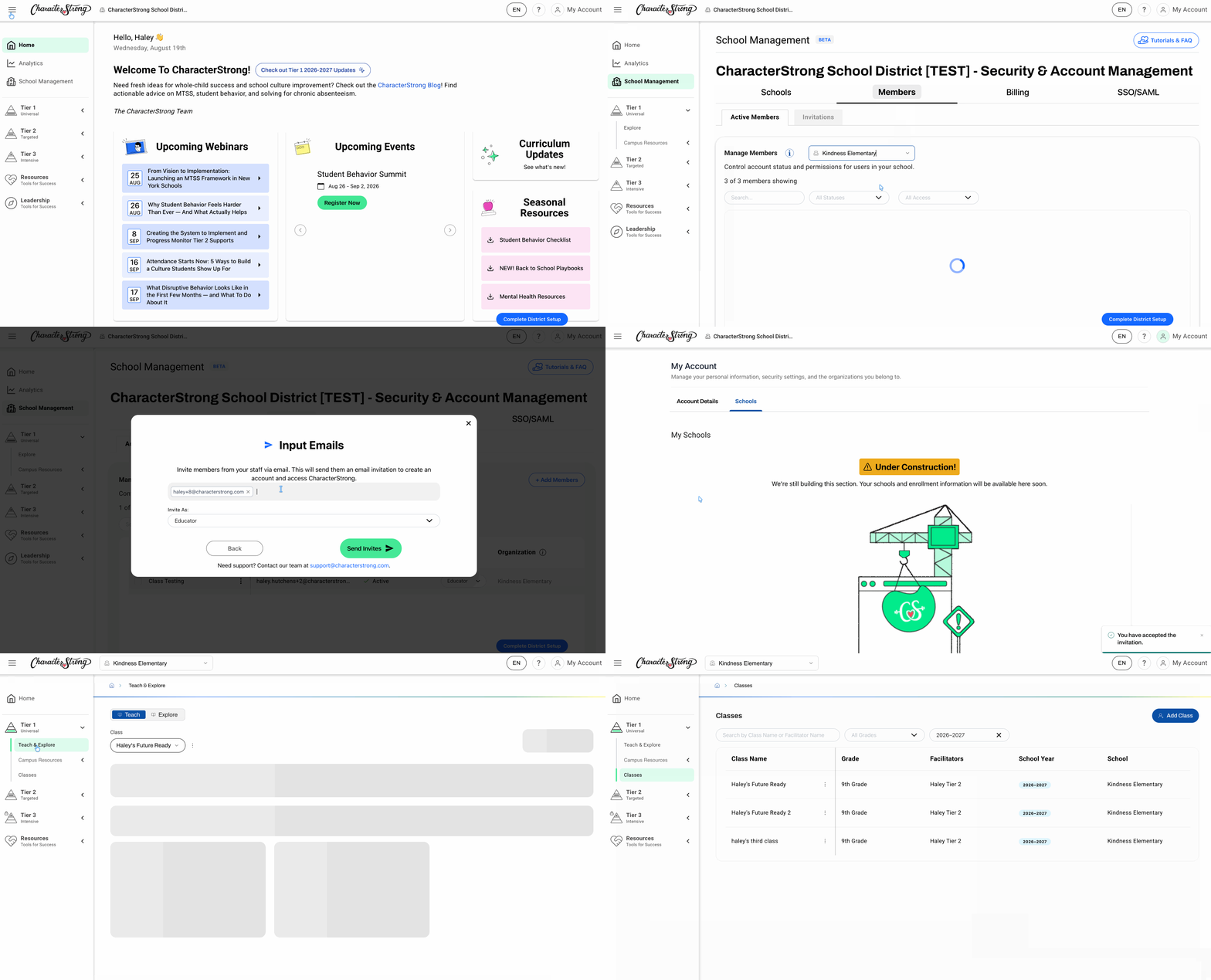
Once you're in a specific school, you'll have both Teach and Explore. Go to Classes to create a class.
Note: Teach is only available at the school level. You'll still see Explore only when working at the district level.
Need Help?
If you need any additional account support:
- Email our Support Team at support@characterstrong.com
- Connect with your Customer Success Manager for personalized guidance
Don't know who your Custom Success Manager is? Reach out to support@characterstrong.com